

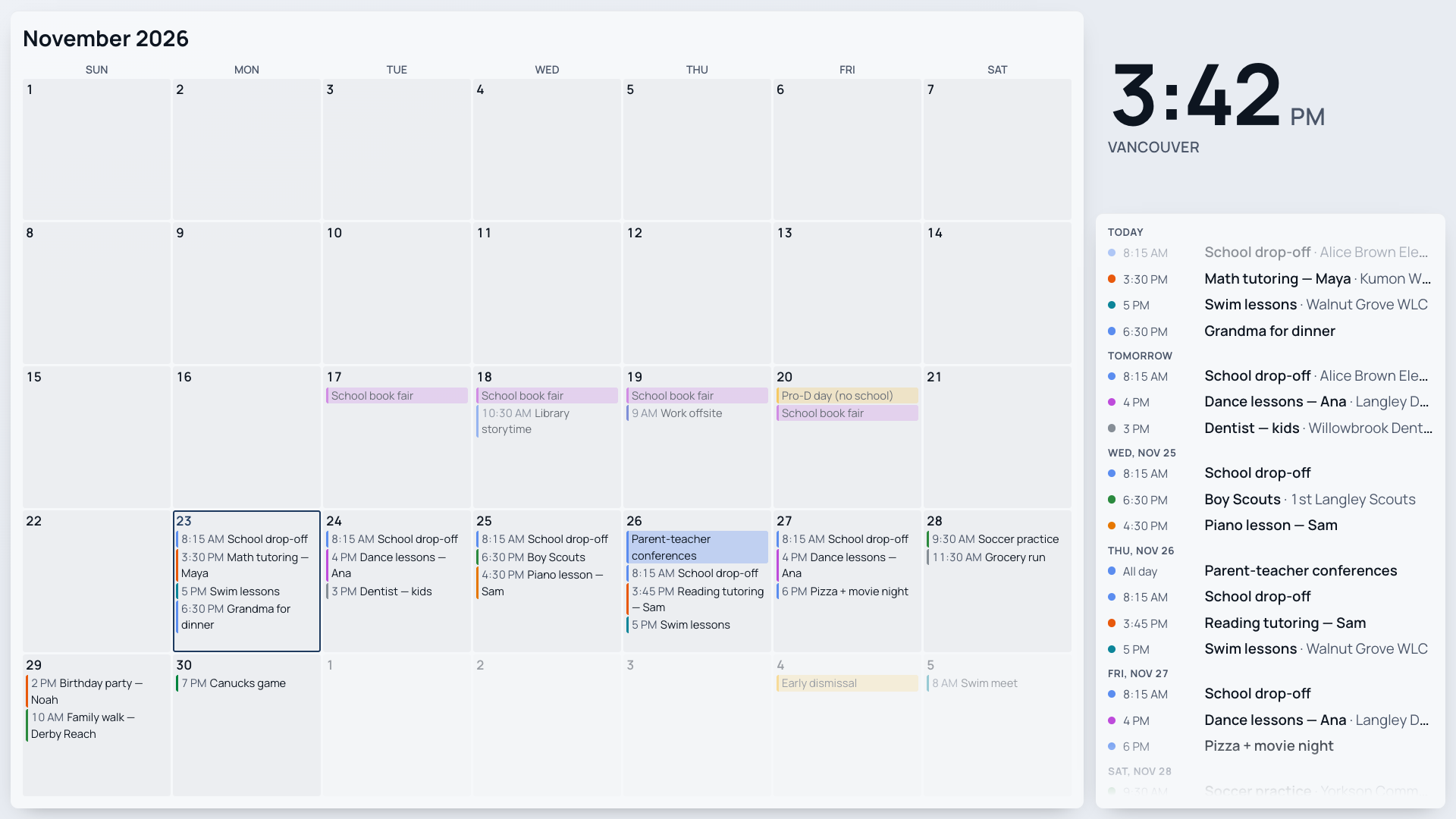
The most common reason a family calendar fails is that the family doesn't share one. One parent lives in Google Calendar on Android, the other in the iPhone's Calendar app on iCloud, the school sends an iCal link and hockey has its own app. Asking everyone to switch never works. The better fix is a screen that reads all of them and shows them together, one colour per person.
How Each Calendar Gets on the Wall
- Google Calendar: connect the account once in Settings › Calendars and pick which calendars to show.
- Microsoft 365 / Outlook: the same, with a Microsoft sign-in.
- iCloud (iPhone): publish the calendar as a public link from Calendar on a Mac or from iCloud.com, then paste that link in Settings › Calendar links (Household).
- School, sports and clubs: paste their iCal or webcal link the same way.
Getting the iPhone Calendar Link
Apple doesn't let other apps read iCloud calendars directly, so the way in is a published link. On a Mac, open Calendar, right-click the calendar, choose Share Calendar… and tick Public Calendar, then copy the address. On iCloud.com, open Calendar, tap the share button next to the calendar and switch on Public Calendar. The Calendar app on an iPhone can't show that address, so do this step on a computer once. Settings walks you through it.
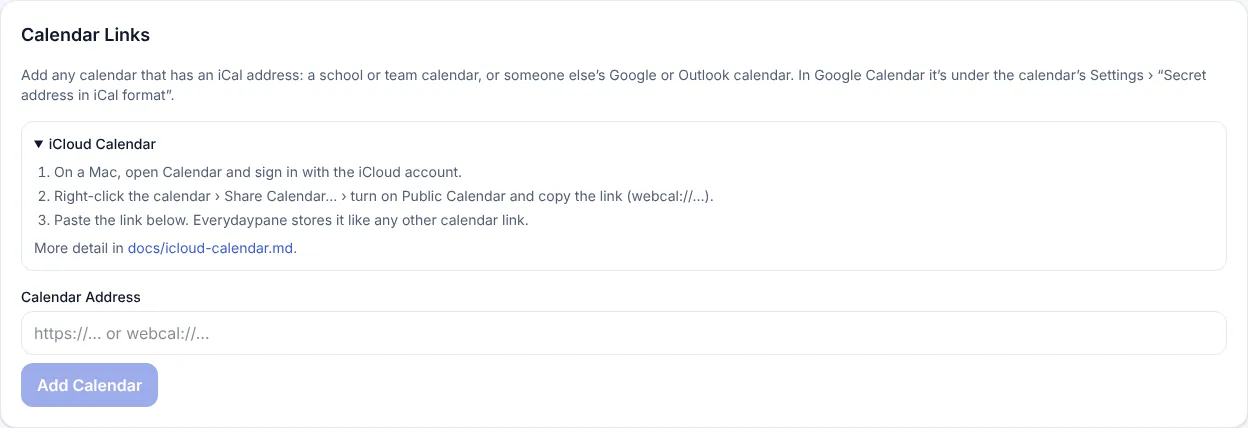
Tip. A published calendar can be read by anyone who has its address, so Everydaypane stores the link encrypted, like a password, and never shows it to the wall. Keep it out of group chats.
One Colour Per Person
Each calendar and each link has its own colour, and the wall uses it on every widget. Pick one colour per person and the week reads at a glance from across the kitchen: blue is Dad, green is the kids, orange is the school. Calendar titles are tidied into title case, and a Google calendar named after an email address can be given a proper name in Name on the Wall.
Events Without a Calendar App
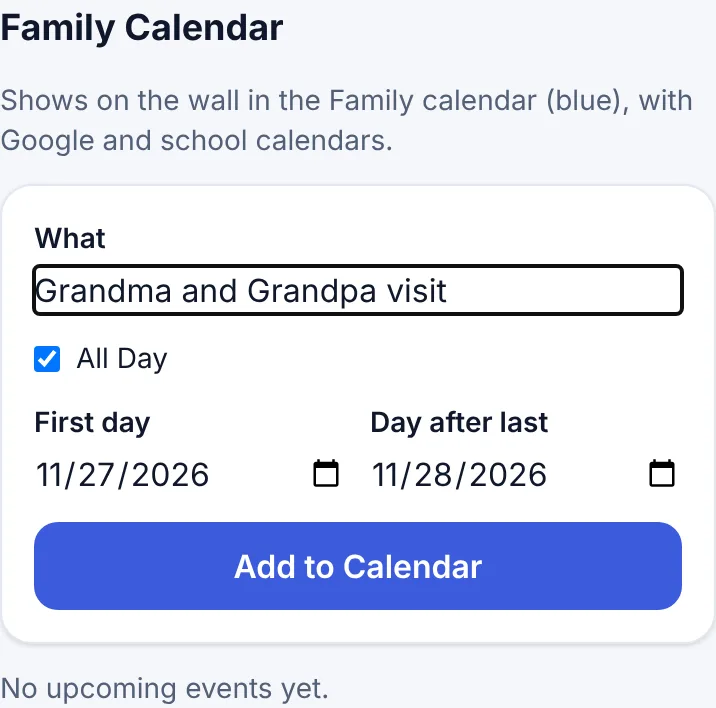
Some things don't belong to anyone's calendar: the plumber on Tuesday, the grandparents visiting, a birthday party for one of the kids. Anyone in the family can add those from their phone at /family/, and they show on the wall in the same feed as everything else, marked Family.
Pick the Layout That Fits Your Week
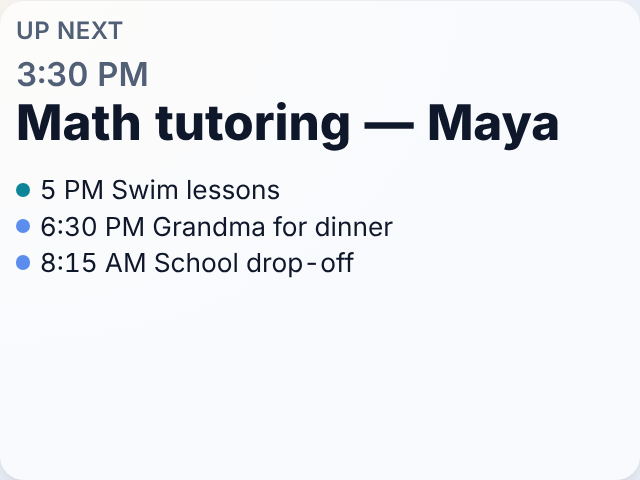
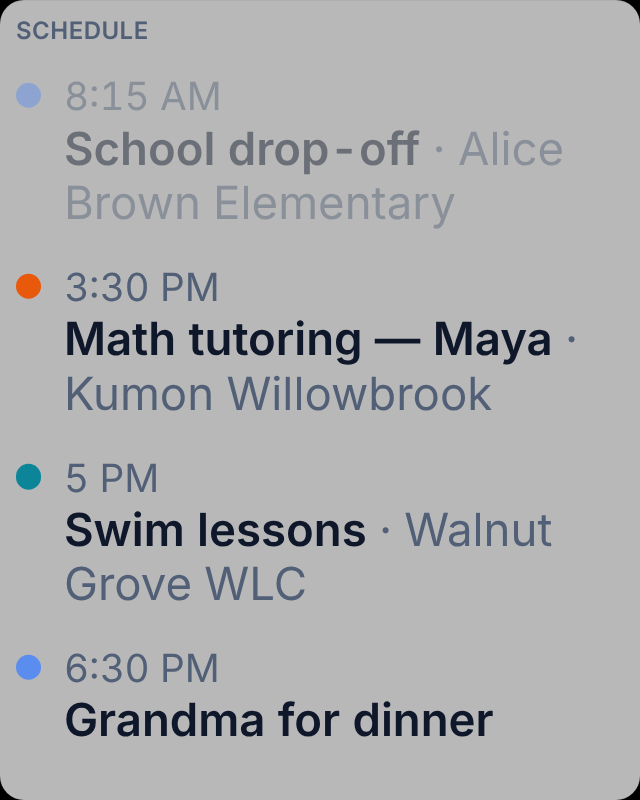
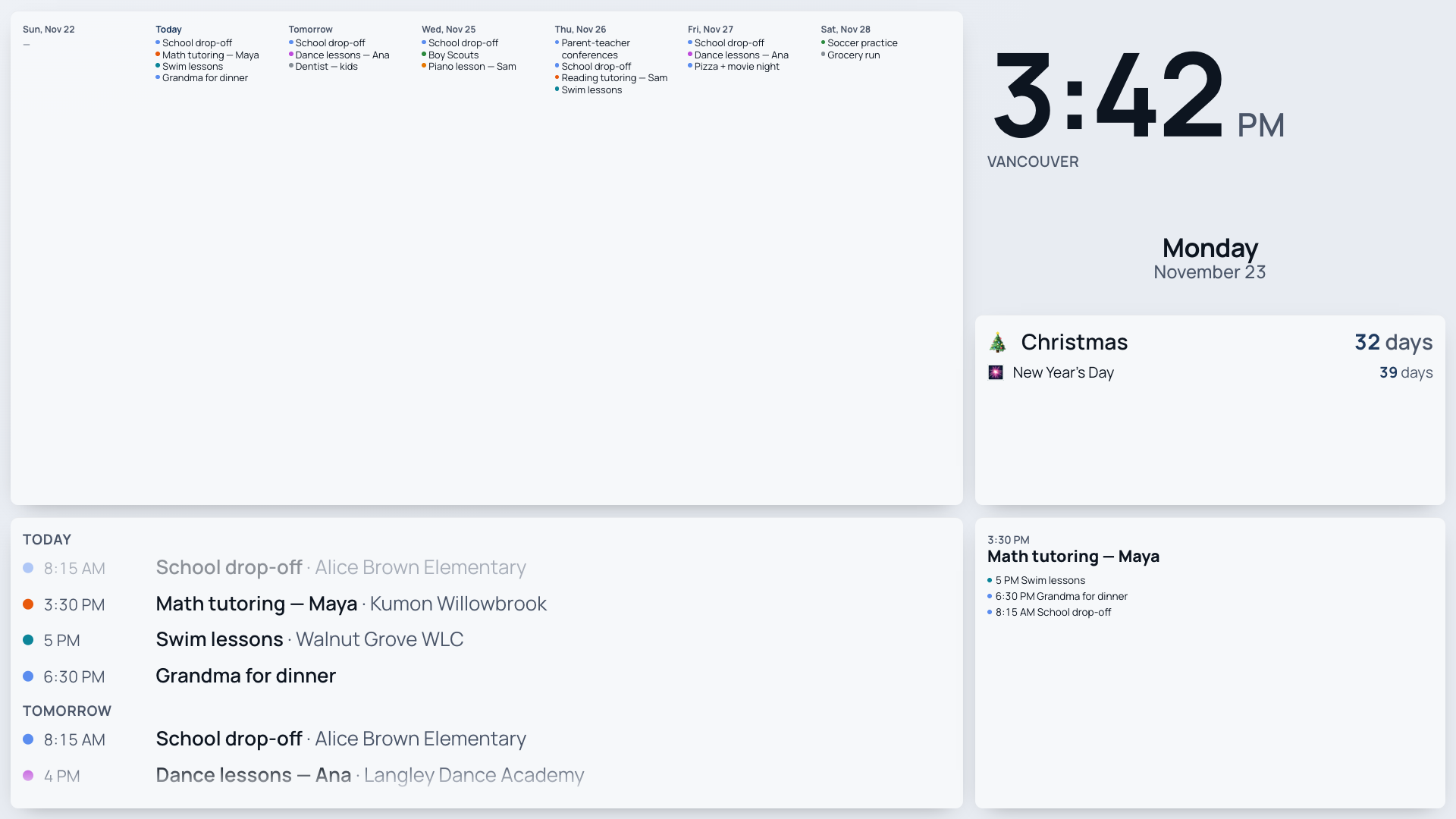
Busy weeks read best as a week grid; a quieter family might like the month with today's list beside it. The Calendar Wall starter template (above) is the month with the schedule; Week Planner is the week with Up Next, today's schedule and countdowns. Both can be rearranged on a live copy of the wall.
Free or Household
Free shows two Google or Microsoft 365 calendars, which covers a family that's all on one of them. iCloud and other calendar links, up to 50 calendars, family events from phones, meals and the rest of the widgets are part of Household.
Ready to try it? Start Free on Everydaypane.