

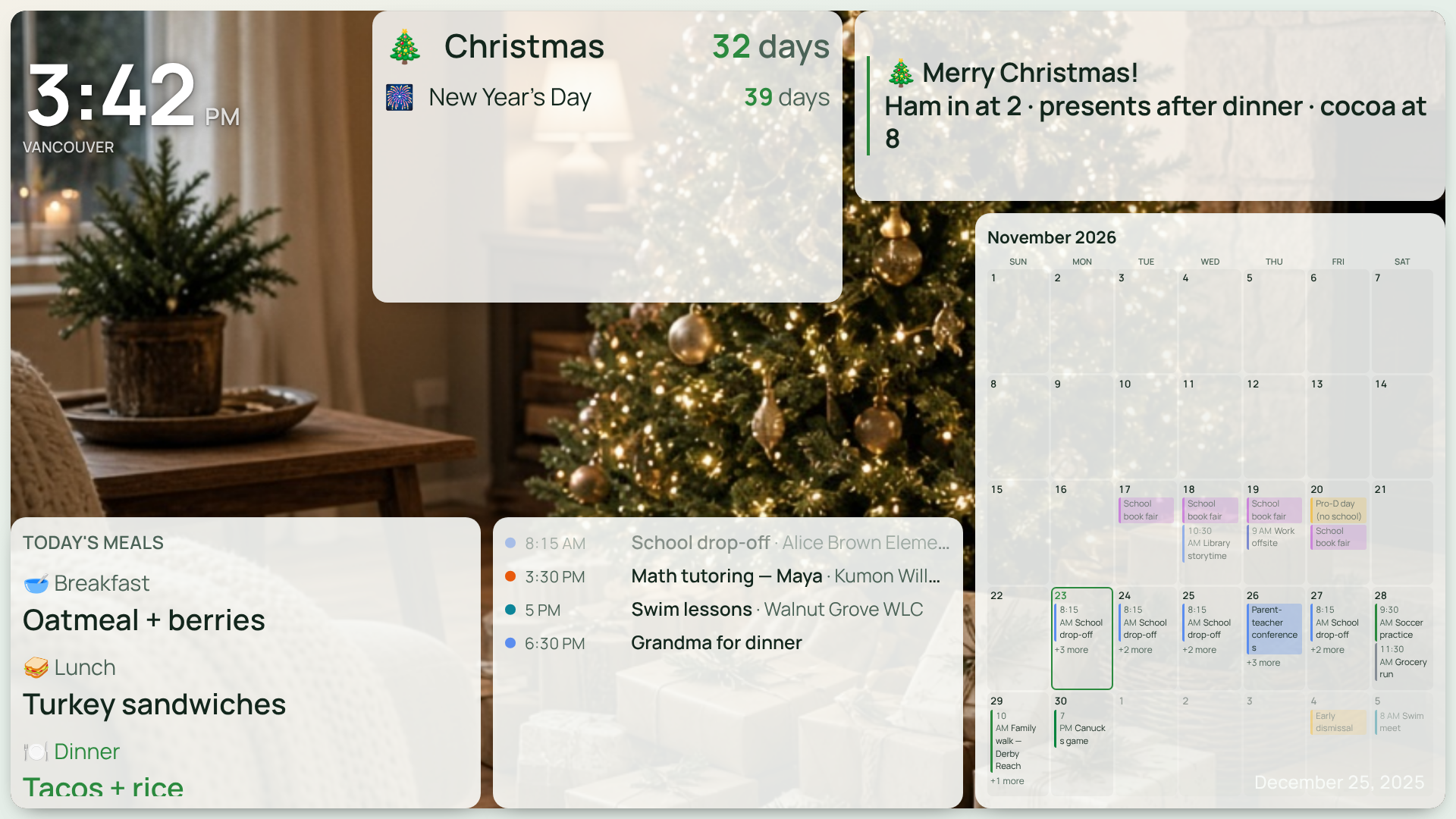
Every December the same question comes up at breakfast: how many sleeps until Christmas? An advent calendar answers it once a day. A screen on the kitchen wall answers it all day long, next to the things December actually fills up with: the school concert, the cookie exchange, the drive to Grandma's and who's cooking what. This guide sets that up on a tablet, monitor or TV you already own.
What the Christmas Wall Shows
- A countdown to Christmas and to New Year's, counting the days and rolling over to next year by itself once the day has passed.
- Family photos as the backdrop, from an album you upload to, Google Photos, Amazon Photos or an iCloud shared album.
- The holiday schedule from Google Calendar, Microsoft 365 or any iCal link: concerts, parties, the last day of school.
- The month at a glance, so the week of Christmas and the days off are easy to see.
- A note for the house ("Elf moves tonight!") and meals for the big dinners, planned from a phone.
Start From the Christmas Template
In the household panel, open Views and pick the Christmas starter template. It's a photos backdrop with a clock, the Christmas and New Year countdowns, a note, meals, today's schedule and a month calendar on top. Every tile can be moved, resized or removed, and the template is a starting point, not a lock-in. When January comes, the New Year template is its twin.
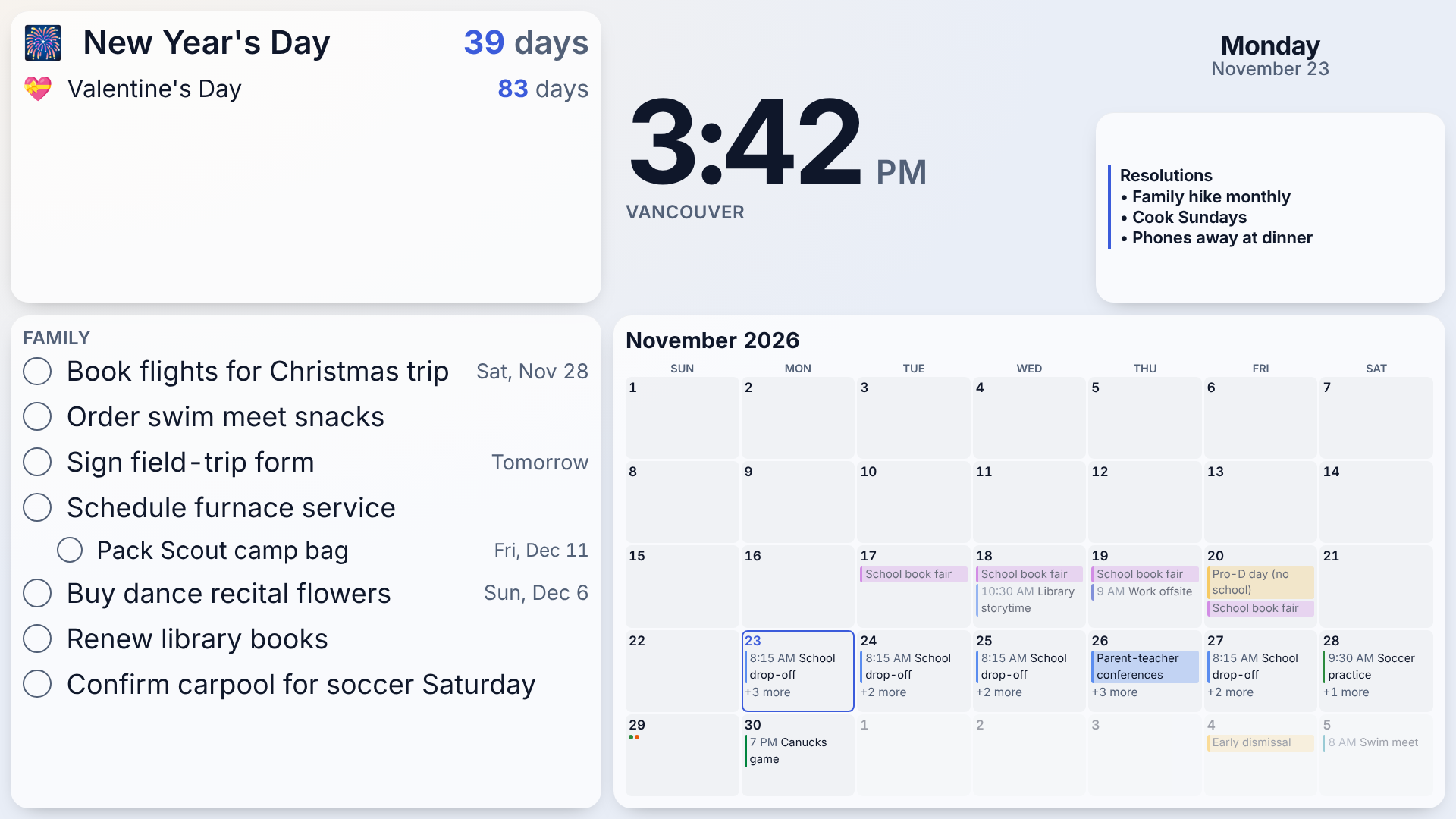
Add the Dates That Matter to Your Family
Christmas is only one date. Open the Countdowns widget's settings and add the ones your kids are actually waiting for: the last day of school, the trip to the cabin, a cousin's visit, Boxing Day hockey. Each date can be a holiday, a birthday, an anniversary or an event, with an emoji and, if you like, a photo. Yearly ones come back on their own next December.
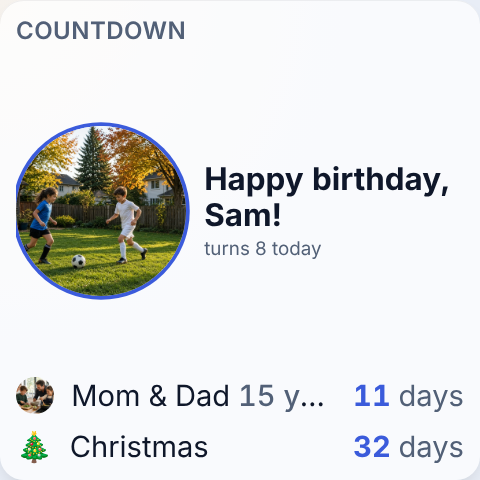
Tip. On the day itself the countdown leads the tile with its photo large. A Christmas morning picture from last year makes a good one.
Make It Feel Different in the Evening
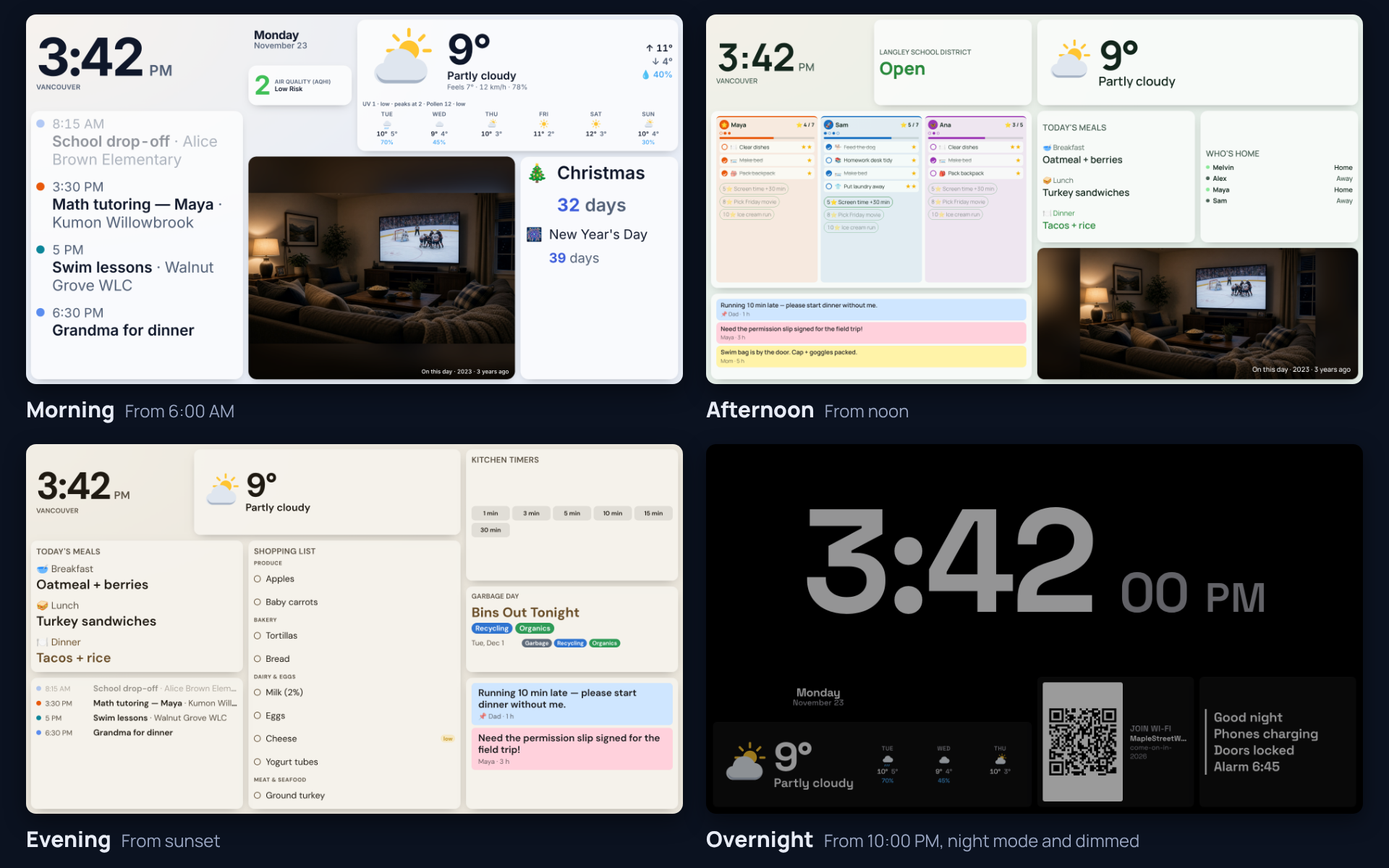
On the Household plan, views can change by time of day. A practical December setup: the full Christmas wall in the morning and after school, a calmer photo view in the evening with just the clock and the countdown, and a dark night clock overnight. Each part of the day can start at a fixed time or at sunrise and sunset, which in December in B.C. is barely after four.
The Photos Are Half of It
Load an album of past Christmases. The photo frame shows photos taken on this day in earlier years first, pairs portrait photos side by side instead of leaving black bars, and captions each one with how long ago it was. "December 24, 2019 · 7 years ago" is a reliable way to get the kids to stop and look.

Free or Household
Countdowns, photos, calendars, a note, the clock and the weather are all on the Free plan, so a simple Christmas wall costs nothing. The Christmas and New Year templates, meals and views that change through the day are part of Household, along with every other widget.
Ready to try it? Start Free on Everydaypane.